





Setting the Record Straight: How Urban VPN’s AI Protection Feature Actually Works
At Urban VPN, transparency and user trust are core principles. We operate with a strong commitment to compliance, and clear communication, and we work in alignment with the policies and requirements of the platforms on which our products are distributed. Protecting user data is fundamental to how we build and operate our products, and we do not collect personally identifiable information (PII).
Over the past several days, reports and commentary about Urban VPN have raised serious questions and concerns. We take those concerns seriously and value the trust our community places in us.
Some coverage inaccurately described technical elements of our browser extension. More importantly, several widely repeated claims are simply not true, particularly those related to consent, user control, and who was affected by the AI Protection feature. In multiple instances, incorrect conclusions were presented as established facts.
This post is intended to clarify the record. Transparency matters, especially when complex technical topics are discussed publicly. It is also important to acknowledge the context in which this story originated.
The initial research was published by a security company whose business model centers on alerting enterprise customers to potential risks, and the findings were amplified through media outlets operating in attention- and monetization-driven environments.
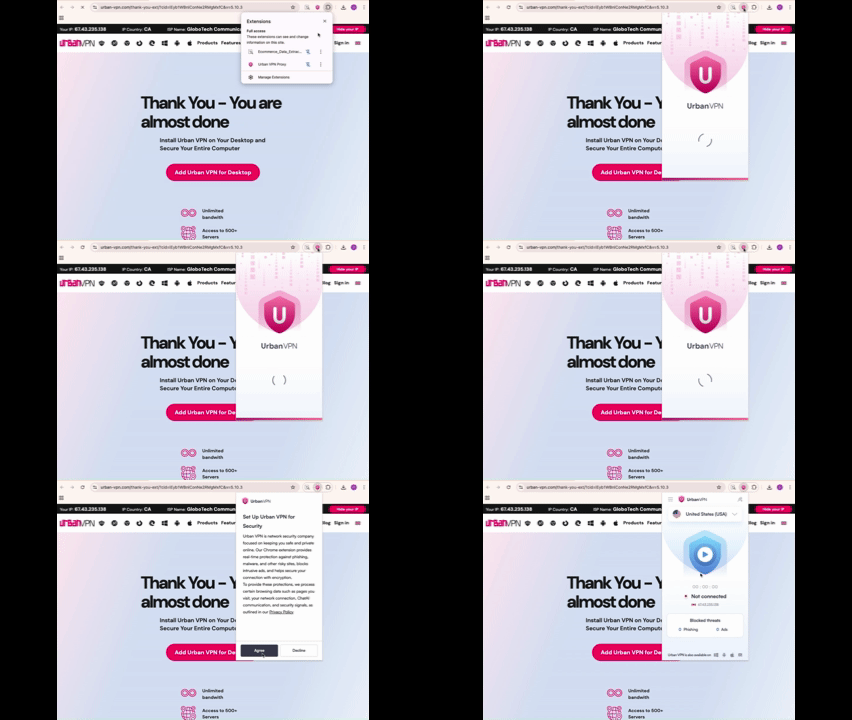
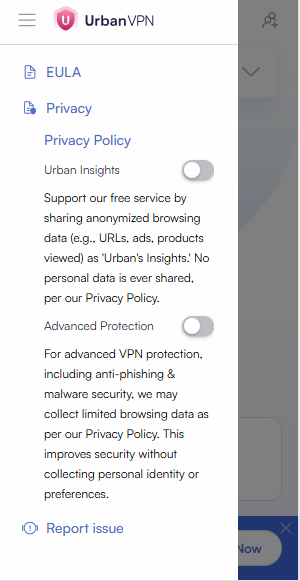
Regardless of how the story has been framed elsewhere, our responsibility is to our users. What follows is a clear explanation of how the AI Protection feature actually works, what users consented to, and what is and is not collected, as you can see below:
What the AI Protection Feature Is (and Is Not)
Urban VPN includes an AI Protection feature designed to help users better understand the risks of sharing sensitive information when interacting with AI platforms.

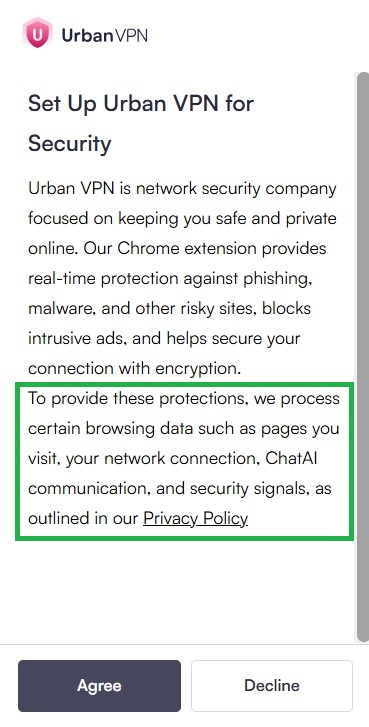
This feature is purely optional, requires a separate, explicit and prominent consent from the end user for processing and collecting the AI communications, and the AI Protection must be explicitly enabled by the user.
If a user does not opt in:
- The VPN functions normally
- No AI-related processing takes place
- No AI conversations are handled by the feature
Consent and User Control: Correcting the Record
Several reports stated or implied that AI-related processing was enabled by default or could not be disabled. That is not accurate.
AI Protection is not enabled by default.
AI-related processing only occurs after a user explicitly opts in.
Users also retain control after enabling the feature:
- AI Protection can be turned off at any time in the extension settings

- Disabling the feature stops AI-related processing
- The VPN continues to operate normally when users opt out.
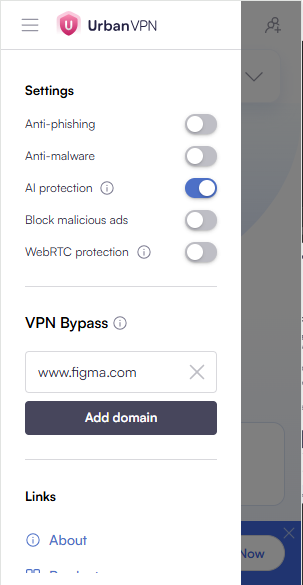
Users are not required to enable AI Protection in order to use Urban VPN whatsoever.
Timeline Clarification: What Changed in July 2025, and What Didn’t
On July 9, 2025, version 5.5.0 of the extension introduced AI Protection capabilities.
What changed:
- The feature became available to users
What did not change:
- AI-related processing did not automatically apply to all users
- Existing users were not silently enrolled; they were provided with notice on the new features.
- Only users who explicitly opted in to AI Protection and provided explicit opt in consent enabled the feature
There was no automatic transition from “VPN-only” usage to AI-related processing.
What Data Is Collected, and What Is Explicitly Not
We want to address this point clearly and directly.
Urban VPN does not collect:
- Information intended to identify individual users
- Raw personal or sensitive information for retention
When AI Protection is enabled, data processed by the feature is:
- Filtered multiple times
- Stripped of personal or sensitive elements
Clarifying Widely Repeated Claims
Several articles repeated identical claims originating from a single research report. Many of these claims were presented as established facts. Below are direct quotes from the coverage, followed by what is actually true.
Claim:
“The harvesting is enabled by default.”
Fact:
This is not true. AI Protection is an optional feature and must be explicitly enabled by the user. If a user does not opt in, no AI-related processing occurs.
Claim:
“There is no user-facing toggle to disable this. The only way to stop the data collection is to uninstall the extension entirely.”
Fact:
This is incorrect. A user-facing toggle exists in the extension settings. Users can disable AI Protection at any time while continuing to use the VPN.
Claim:
“July 2025 – Present: All user conversations with targeted AI platforms captured and exfiltrated.”
Fact:
This is false. Only users who explicitly opted in to AI Protection were affected.
Claim:
“Chrome and Edge extensions auto-update by default. Users woke up one day with new code silently harvesting their AI conversations.”
Fact:
This misrepresents how the feature works. While AI Protection became available in July 2025, it required explicit user consent. No users were automatically enrolled.
Claim:
“Anyone who used ChatGPT, Claude, Gemini, or the other targeted platforms after July 2025 should assume those conversations were captured.”
Fact:
This statement is incorrect. Users who did not opt in to AI Protection should not assume any AI-related processing occurred.
Claim:
“Enabling or disabling the warning feature has no effect. The extension harvests everything regardless.”
Fact:
This is not accurate. Disabling AI Protection stops AI-related processing entirely.
Addressing the “Uninstall Immediately” Narrative
Some coverage suggested that anyone who used AI platforms while Urban VPN was installed after July 2025 should assume their conversations were affected.
That is incorrect.
Only users who explicitly opted in to AI Protection were subject to AI-related processing.
Users who did not opt in have no AI-related activity associated with their use of Urban VPN.
Uninstalling the extension is not the only way to stop AI Protection. Users can simply disable the feature at any time through the settings.
Context on Security Research and Media Coverage
Security research plays an important role in improving safety across the web. At the same time, complex technical findings are often simplified as they move through broader media coverage.
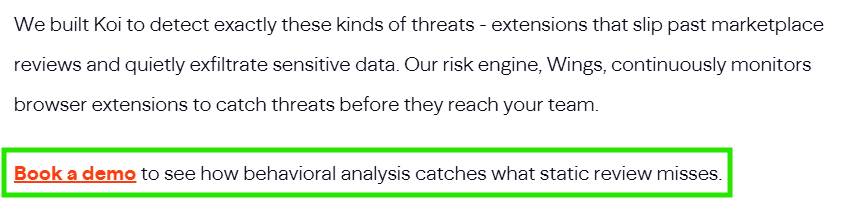
The research cited in many of these articles was published by a company that explicitly states the purpose of the research is to promote its own commercial product, including a call to “book a demo.” That context matters.
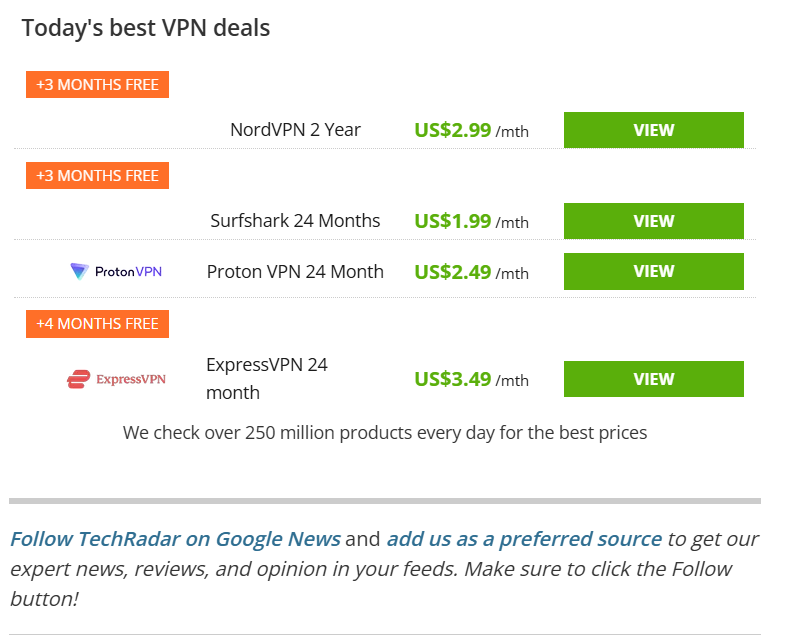
In some cases, coverage relied on sensational framing, while other articles were published by outlets that actively promote competing VPN services through affiliate programs within the same reporting.
In some cases, reporting blended technical observations with assumptions about user consent and control. Understanding how research, headlines, and commercial media models intersect can help explain differences in tone. But it does not change the facts.
Our responsibility is to be clear with our users, regardless of how others frame the story.
What We’re Doing Going Forward
Even when correcting inaccuracies, we believe there is always room to improve.
We are:
- Making opt-in explanations clearer
- Improving visibility of user controls
- Reviewing UX language to reduce confusion
- Continuing to prioritize transparency and user choice


Hide your IP
With Urban Free VPN
Download Urban VPN for free and browse the web while hiding your IP address.
Free Download